

• Due to a recent spam attack on the site we have switched user registration to require administrator approval. Please bear with us as this could take a few hours to approve new registrations (depending on availability) but all genuine registrations will be approved

Car 'Infotainment' Problem

  • Thread starter Thread starter Pegojack
  • Start date Start date
  • Replies Replies: Replies 109
  • Views Views: Views 2,516
Delete all the Yes songs. Sorted.
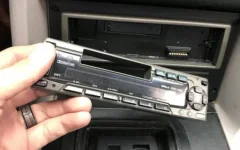
Funny you should say that. I've had all the tracks from The Yes Album up to Relayer on my playlist for years but deleted all of Tales from Topographic Oceans about 6 months ago as I was finding it very tedious even though I only heard it all about once every 10 months 😂
 
Funny you should say that. I've had all the tracks from The Yes Album up to Relayer on my playlist for years but deleted all of Tales from Topographic Oceans about 6 months ago as I was finding it very tedious even though I only heard it all about once every 10 months 😂
And I thought you had taste 😲
 
That happened to me more times than I can remember. Occupational hazard of living in Clase.
I remember my old man having his pinched on more than one occasion.

Stole one radio and came back a week later and took the replacement. In the end he started leaving the car unlocked for them.
 
Sounds obvious but can you transfer them onto your phone, then connect your phone to the car via Bluetooth?
Thanks to Neath Jack and others for suggesting this route. I'm 75% of the way there now, having downloaded all the music onto the phone and installed PowerAmp. I can now select the music from the folders on the phone and play it via bluetooth. The track being played is displayed on the car infotainment screen, all I need to do now is get that screen to show all the selections and chose from them. Obviously don't want to be fiddling with the phone screen whilst driving.
 
Thanks to Neath Jack and others for suggesting this route. I'm 75% of the way there now, having downloaded all the music onto the phone and installed PowerAmp. I can now select the music from the folders on the phone and play it via bluetooth. The track being played is displayed on the car infotainment screen, all I need to do now is get that screen to show all the selections and chose from them. Obviously don't want to be fiddling with the phone screen whilst driving.
Just put it on random and you’ll get a surprise every song. 😀
 
Thanks to Neath Jack and others for suggesting this route. I'm 75% of the way there now, having downloaded all the music onto the phone and installed PowerAmp. I can now select the music from the folders on the phone and play it via bluetooth. The track being played is displayed on the car infotainment screen, all I need to do now is get that screen to show all the selections and chose from them. Obviously don't want to be fiddling with the phone screen whilst driving.
Android auto?
 
Thanks to Neath Jack and others for suggesting this route. I'm 75% of the way there now, having downloaded all the music onto the phone and installed PowerAmp. I can now select the music from the folders on the phone and play it via bluetooth. The track being played is displayed on the car infotainment screen, all I need to do now is get that screen to show all the selections and chose from them. Obviously don't want to be fiddling with the phone screen whilst driving.
Isn't the car's screen a touch screen? If it is you shouldn't need to fiddle with your phone. And are you using Android Auto? If you are, PowerAmp can display all the folders and list the entire contents of whichever folder you select. . Android Auto will work over Bluetooth but it's better with a cable.
 
TBH paying for spotify is prob the easiest way, I dont mind paying, the car links to my phone automatically and starts playing my music straight away, unless I was listening to the radio when last in the car android auto is brilliant
 
Sounds like Pego bought his car from Fred Flinstone
TBH paying for spotify is prob the easiest way, I dont mind paying, the car links to my phone automatically and starts playing my music straight away, unless I was listening to the radio when last in the car android auto is brilliant
Spotify, Apple Music, no need for all this fuss
 
Yes, Auto Android was the last piece in the puzzle. Now all music folders available on the car touch screen.
The combined brain power of Planet Swans solved what seemed like an intractable problem. A big thanks to all you guys. It's what makes this site great.
STID.
 
Back
Top